Song lyrics, right inside the game.
Play a song in Bacoy Music or Spotify and the lyrics fly in front of you, in sync, while you build, explore and fight.
Everything your playlist needs in-game.
Not just text on screen. A full music experience that stays out of your way.
Flying 3D lyrics
Lines glide in on the left and right of your crosshair so your view stays clear. Choose both sides, left, right or centered. On 1.21.11 and 26.1 they float in the world itself; on 26.2 and newer they are drawn on screen.
Karaoke highlight
The line you are on lights up word by word, with a soft glow and smooth animations.
Player inside Minecraft
Press M for a full player: now playing, library, playlists and queue. No Alt+Tab needed.
Spotify support
Works with the Spotify desktop app. The mod reads what is playing and fetches synced lyrics for it.
11 languages
The language follows Bacoy Music automatically, and falls back to English. You can change it any time.
Tune every detail
Font, size, distance, height, colors, glow, shadow, background, timing offset, a now playing card with cover art and more, all in one settings screen.
Designed to look at home in Minecraft.
A crisp, rounded interface instead of blocky menus.
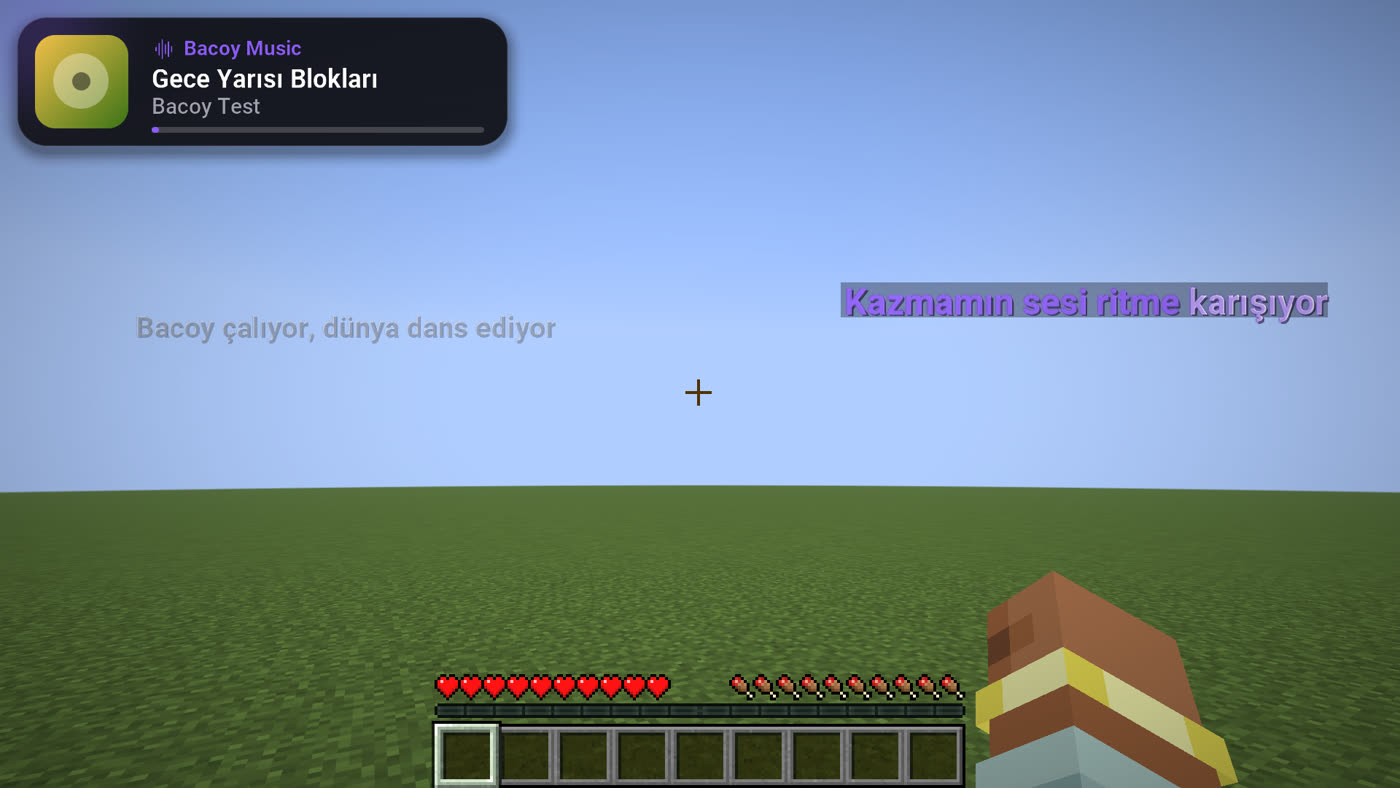
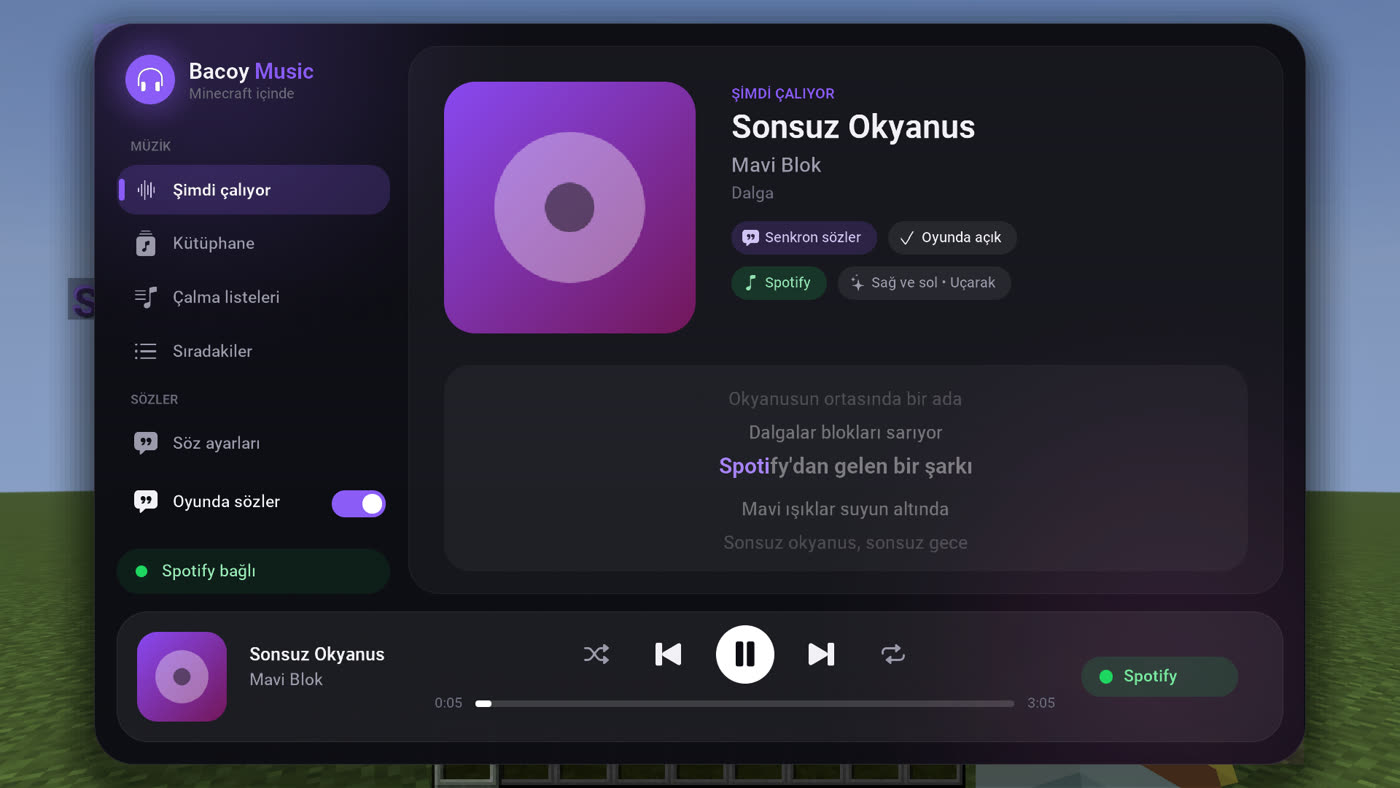
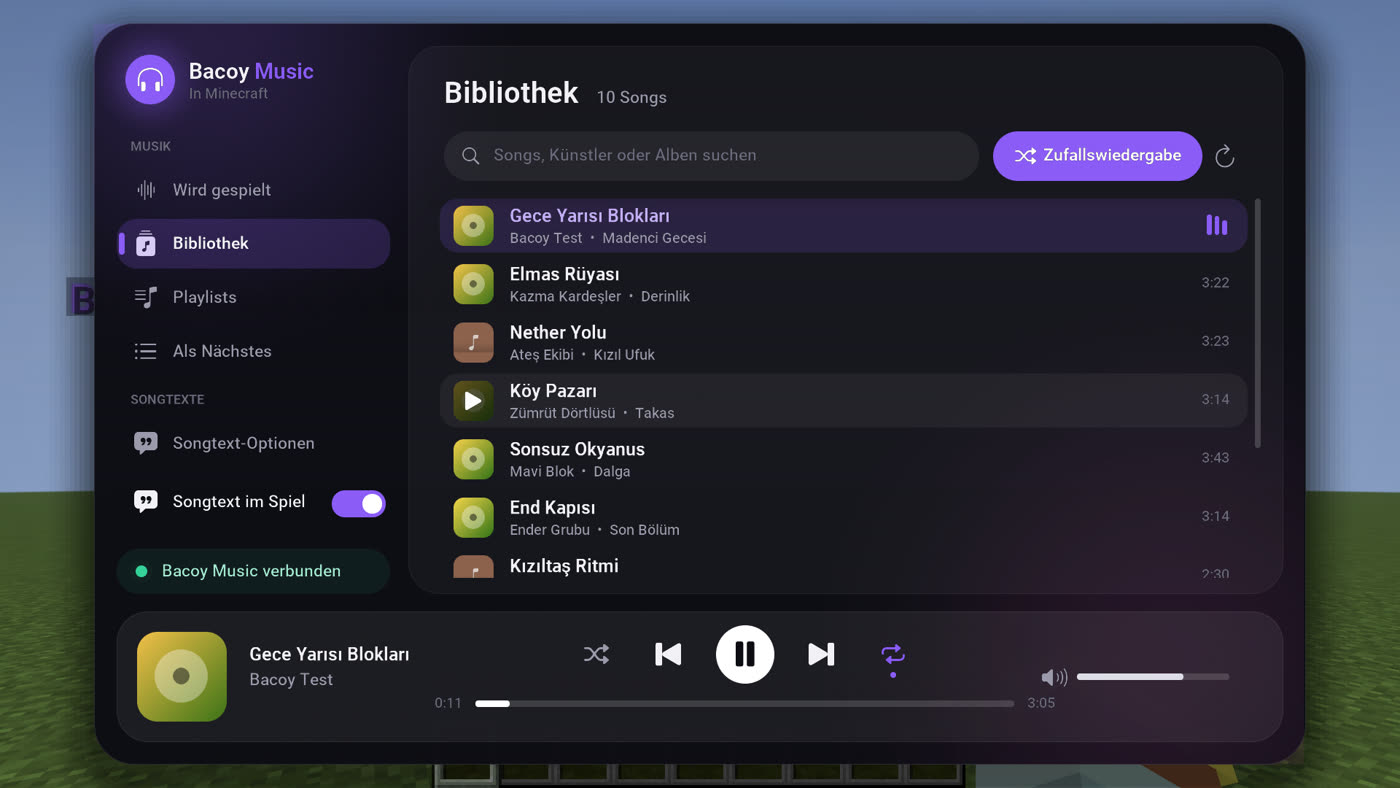
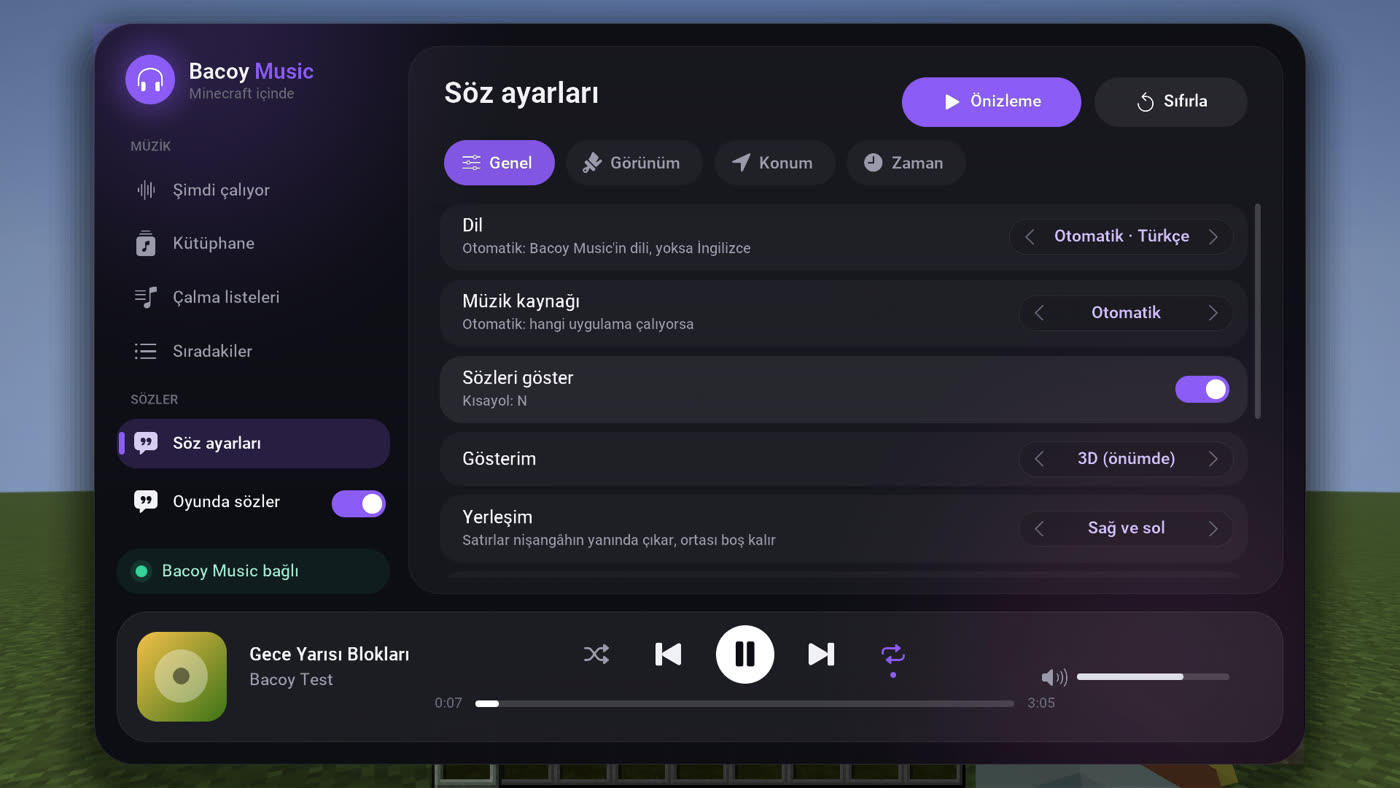
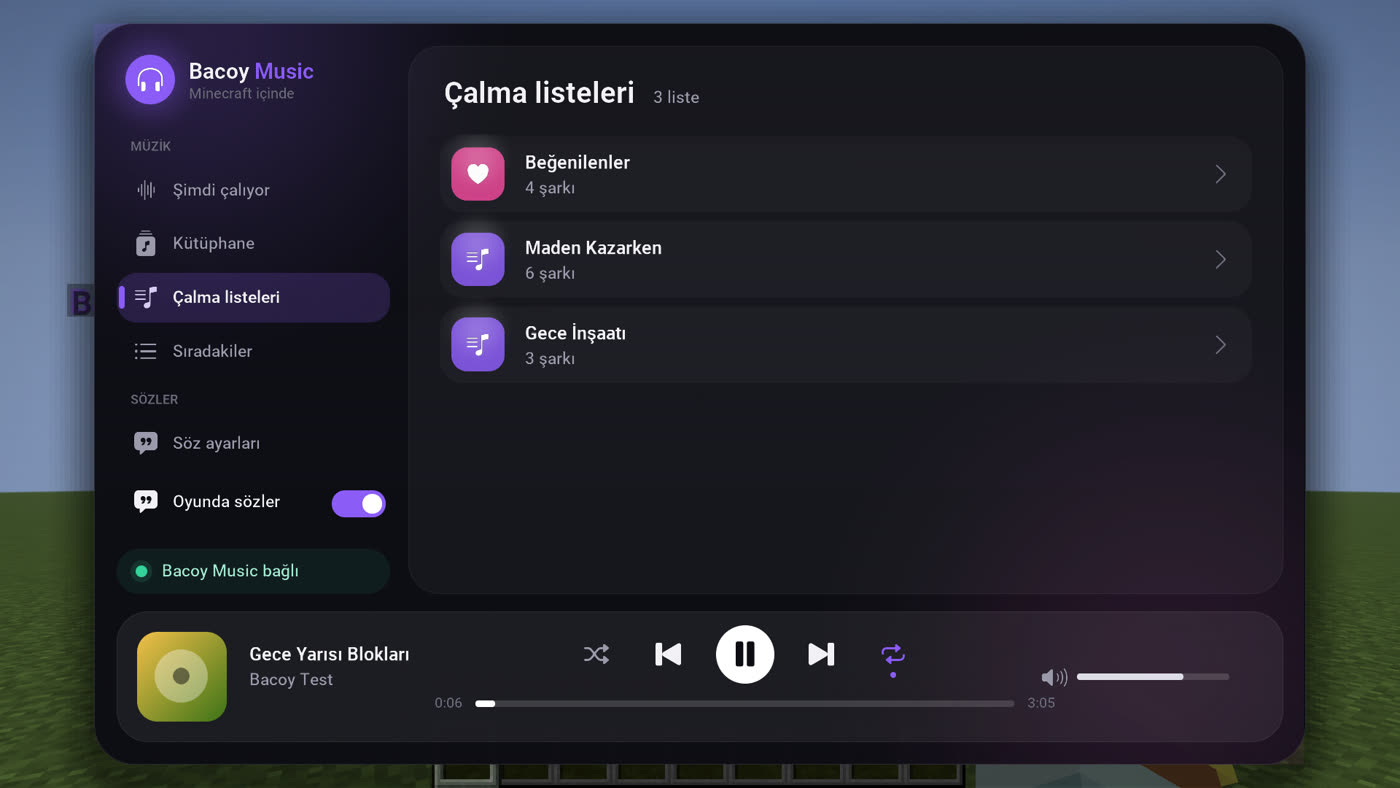
Screenshots use sample songs and Turkish, English and German interface text.
Ready in three steps.
Install Fabric
Install Fabric Loader for your Minecraft version and put the matching Fabric API in your mods folder. Minecraft 26.x needs Java 25, which the launcher installs for you.
Add the mod
Download the jar for your exact Minecraft version, drop it into the same mods folder and start the game.
Play a song
Open Bacoy Music or Spotify on your PC and press play. Press M in-game for the player and settings, N to toggle lyrics.
Get Bacoy Lyrics
Version 1.2.0 · pick the jar that matches your Minecraft version
Each file is about 0.9 MB. Java 25 is required for 26.x, Java 21 for 1.21.11.
Questions, answered.
Do I need Bacoy Music?
No. The mod works with the Bacoy Music app or with the Spotify desktop app on Windows. If neither is running you can still preview the lyrics from the settings screen.
Where do the lyrics come from?
Synced lyrics are looked up on the free LRCLIB service using the song title, artist and length. If a song has no synced lyrics, nothing is shown for it.
Is Spotify support safe?
The mod only reads the current track, cover and position that Windows already shares with media controls. It does not log in to Spotify and never sees your account. Spotify playback is controlled through the same Windows media controls.
Does it work on servers?
Yes. Bacoy Lyrics is client-side only and does not change the game for other players. It does not give any gameplay advantage.
Which Minecraft versions are supported?
Minecraft 1.21.11, 26.1, 26.1.2, 26.2 and 26.3 on Fabric. Each version has its own jar, so download the one that matches your game exactly. Minecraft 26.x runs on Java 25, which the launcher sets up for you.
Are lyrics the same on every version?
Yes, with one difference. On 1.21.11 and 26.1 the lines float inside the world. Minecraft 26.2 changed how in-world text is drawn and no longer supports fading it, so on 26.2 and newer the same lines glide in on screen at your crosshair, with the same animations, colors and karaoke highlighting.
How do I change the keys?
Open Minecraft's Controls screen and look for the Bacoy Lyrics category. The defaults are M for the player and N to toggle lyrics.